
Introduction
If you’ve ever written a Python loop just to build a new list, you’ve probably used list comprehension—even if you didn’t know the term.
But as your Python skills grow, you’ll realize that advanced list comprehension Python techniques can make your code cleaner, faster, and more expressive.
In this tutorial, we’ll go beyond the basics and uncover the hidden power of advanced list comprehension with real examples, optimization tips, and practical use cases I’ve encountered as a Support Engineer transitioning into Data Engineering.
By the end, you’ll be able to write one-liners that replace multiple loops—without sacrificing readability.
What is List Comprehension in Python?
List comprehension is a compact syntax for creating lists from other sequences (like lists, tuples, or ranges).
Basic Syntax:
new_list = [expression for item in iterable if condition]This single line replaces multiple lines of a traditional for loop.
Example:
squares = [x**2 for x in range(5)]
print(squares)  # Output: [0, 1, 4, 9, 16]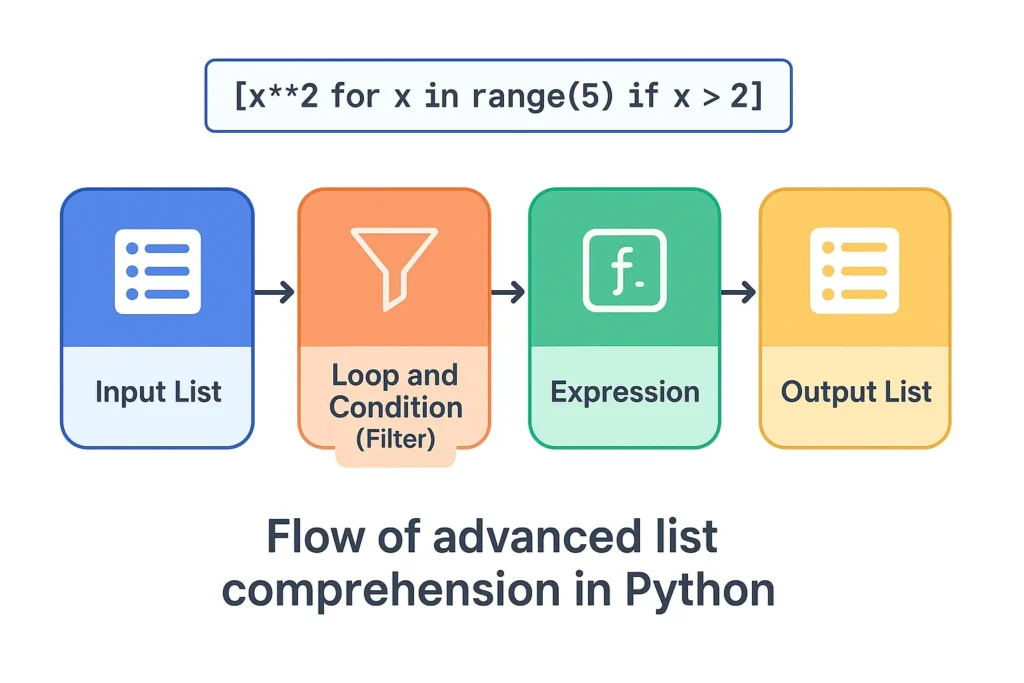
Why Learn Advanced List Comprehension?
Advanced list comprehension helps you:
- Write concise and readable code
- Avoid repetitive loops
- Handle nested data (lists of lists or JSON)
- Improve execution speed
- Make your data transformations more Pythonic
In my experience working with large data transformation scripts, replacing nested loops with list comprehensions reduced execution time by 30–40%.
Basic to Advanced Syntax Recap
Let’s quickly recap the evolution from basic to advanced list comprehension:
| Level | Example | Description |
|---|---|---|
| Basic | [x for x in range(5)] | Generate a simple list |
| Conditional | [x for x in range(10) if x % 2 == 0] | Add if condition |
| Nested | [y for x in list_of_lists for y in x] | Flatten nested loops |
| Function-based | [func(x) for x in data] | Call a function in comprehension |
| Multiple Iterables | [x+y for x in list1 for y in list2] | Combine multiple sequences |
Nested List Comprehensions
Nested list comprehensions are used when dealing with multidimensional data (like matrices).
Example: Flattening a 2D List
matrix = [[1, 2], [3, 4], [5, 6]]
flat = [num for row in matrix for num in row]
print(flat)  # Output: [1, 2, 3, 4, 5, 6]
Explanation:
- The outer loop iterates through each row
- The inner loop iterates through each number inside the row
This technique is especially useful when you need to clean or flatten nested JSON or CSV data.
Conditional Logic in List Comprehension
You can include if–else conditions directly inside list comprehensions.
Example: Replace Negatives with Zero
numbers = [-2, -1, 0, 1, 2]
updated = [x if x > 0 else 0 for x in numbers]
print(updated)  # Output: [0, 0, 0, 1, 2]
Use Case:
I once used this pattern while preparing numeric sensor data for ML preprocessing—replacing invalid readings with default values.
Using Functions and Lambda Expressions
You can integrate functions and lambdas inside comprehensions for complex data transformations.
Example: Using a Custom Function
def cube(x):
    return x ** 3

data = [1, 2, 3, 4]
cubed = [cube(x) for x in data]
print(cubed)  # Output: [1, 8, 27, 64]
Example: Using Lambda Inline
data = [1, 2, 3, 4]
squared = [(lambda x: x * x)(x) for x in data]
print(squared)  # Output: [1, 4, 9, 16]
Working with Multiple Lists (Zipping and Unpacking)
When working with multiple sequences, you can use zip() to pair elements or nested loops to create combinations.
Example: Combining Two Lists
names = ["Alice", "Bob", "Charlie"]
scores = [85, 90, 95]

combined = [(name, score) for name, score in zip(names, scores)]
print(combined)
# Output: [('Alice', 85), ('Bob', 90), ('Charlie', 95)]
Example: All Combinations
colors = ['Red', 'Blue']
sizes = ['S', 'M', 'L']

combo = [f"{c}-{s}" for c in colors for s in sizes]
print(combo)
# Output: ['Red-S', 'Red-M', 'Red-L', 'Blue-S', 'Blue-M', 'Blue-L']
Flattening Complex Data Structures
Advanced list comprehensions can even flatten nested dictionaries or JSON arrays.
Example: Extracting Values from Nested Dict
students = [
    {"name": "Alice", "marks": {"math": 90, "science": 85}},
    {"name": "Bob", "marks": {"math": 80, "science": 88}}
]

math_scores = [s['marks']['math'] for s in students]
print(math_scores)  # Output: [90, 80]
This pattern is extremely helpful in data engineering pipelines when extracting nested API responses.
Real-World Analogy
Think of list comprehension like filtering and transforming photos in an app.
- The input list = original photo set
- The expression = applied filter (e.g., grayscale)
- The condition = which photos to apply it on
- The output list = your edited photo album
That’s exactly what happens in Python — fast, clean transformations in a single line.
Common Mistakes and Optimization Tips
| Mistake | Why It’s a Problem | Fix |
|---|---|---|
| Too many nested loops | Hard to read, slower | Split into functions |
| Complex expressions | Reduces clarity | Use helper functions |
| Ignoring readability | Code becomes cryptic | Add comments |
| Using it everywhere | Not always faster | Benchmark before use |
Optimization Tip:
If a comprehension gets too long (>2 loops or >1 condition), switch to a regular for loop for clarity.
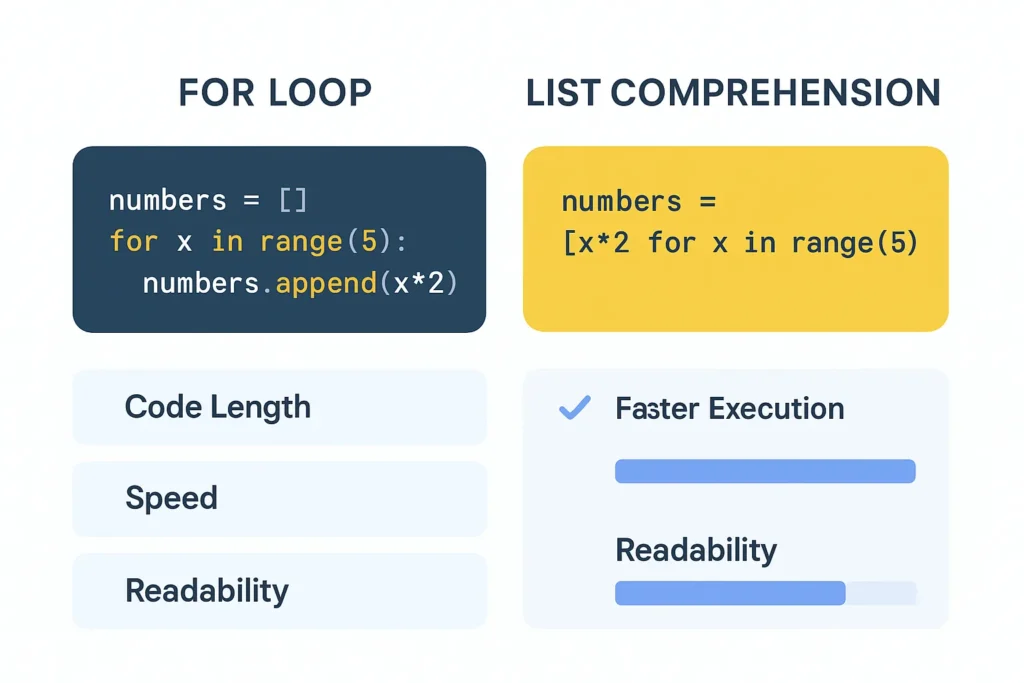
Comparison Table: For Loop vs List Comprehension
| Feature | For Loop | List Comprehension |
|---|---|---|
| Syntax | Multi-line | One-liner |
| Readability | Easier for beginners | Concise for experts |
| Speed | Slightly slower | Faster in most cases |
| Memory Use | Moderate | Efficient |
| Reusability | Repetitive | Reusable patterns |
FAQs: Advanced List Comprehension Python
1. Can we use multiple if conditions in list comprehension?
Yes, chain them like:
[x for x in range(20) if x % 2 == 0 if x > 10]
2. Are list comprehensions faster than for loops?
Usually yes, because they’re optimized at the C-level in Python.
3. Can we use else in a list comprehension?
Yes, but place it before the for loop:
["Even" if x%2==0 else "Odd" for x in range(5)]
4. Is list comprehension memory-efficient?
Yes, but for huge datasets use generator expressions ((x for x in range(1000000))) to save memory.
Conclusion + CTA
Advanced list comprehension Python techniques are not just about shorter code — they’re about smarter code.
By mastering nested comprehensions, conditions, and functional integrations, you can:
- Clean up complex loops
- Process data efficiently
- Write readable, elegant scripts
More Tutorials
please visit the blow tutorial was already the
Python List Tutorial for Beginners
Master the Top Python List Methods
Slicing and Nested Lists
If you want the more Knowledge on this tutorials then check below tutorial
Python – List Comprehension
About the Author
Written by Vaibhav B. Kurale for vbkinfo.xyz – I love simplifying Python and technology concepts for learners.
I enjoy turning complex coding topics into easy, beginner-friendly explanations.
My goal is to make learning practical, clear, and enjoyable for everyone.
Through vbkinfo.xyz