
Introduction
Have you ever thought about why some systems feel so stiff and others feel so flexible? This lesson explains the difference between DBMS and RDBMS in simple terms. It’s great for people who are new to Python and want to start making data apps. It will teach you about their main features, give you examples from real life, and help you choose the right one. It will also give you Python code to use with both. vbkinfo.xyz doesn’t use a lot of words; it just gives you useful information to improve your code skills
TL;DR
DBMS is a general database management system that doesn’t have any hard rules. RDBMS, on the other hand, adds tables, keys, and SQL for organized data. DBMS is best for easy, non-relational uses like files, while RDBMS is best for apps that need relationships, like user logins. These things are easy to do with Python libraries—check out the examples below!
What is DBMS?
Software called a Database Management System (DBMS) lets you make databases, put data in them, keep them up to date, and get data from them. It’s like a smart librarian putting books in order without pushing them into groups.
DBMS handles various data types, from simple lists to complex files, without mandating a specific structure. Popular examples include file-based systems or early tools like XML databases.
No strict rules mean flexibility, but it can lead to chaos in big projects.
Key Features of DBMS
- When you change the files, apps don’t get broken.
- Automated backup and recovery of your work in case of a crash.
- Multi-User Access: This feature lets groups easily change info.
- Simple Querying: A simple search that doesn’t use any fancy words.
What is RDBMS?
Although DBMS is built on tables, the Relational Database Management System (RDBMS) makes sure that the structure is strict, like how spreadsheets are linked by columns. It works well with most business apps because the info makes sense when it’s linked.
Structured Query Language (SQL) is used by RDBMS to search for data in multiple tables. MySQL, PostgreSQL, and Oracle are some examples. They run sites like Facebook logins and shopping carts. What’s the difference between DBMS and RDBMS? Keys are used to show connections in RDBMS.
This setup prevents duplicates and ensures consistency.
Core RDBMS Rules (Codd’s 12 Principles)
- Tables Everywhere: Data lives in rows and columns.
- Unique Keys: Every row gets a unique ID.
- ACID Compliance: Transactions are Atomic, Consistent, Isolated, Durable.
- SQL Standard: Universal query language
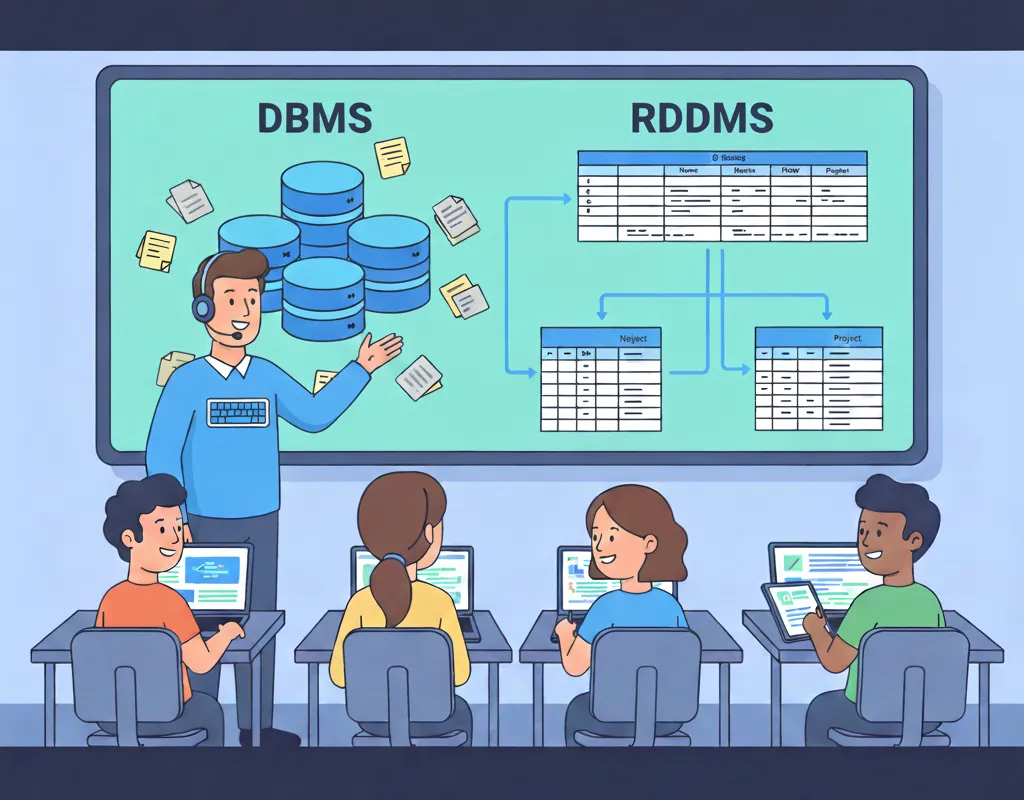
Core Differences: DBMS vs RDBMS
The main difference between DBMS and RDBMS lies in structure and rules. DBMS is like a loose notebook; RDBMS is a locked filing cabinet.
| Feature | DBMS | RDBMS |
|---|---|---|
| Data Structure | Any format (files, objects) | Tables with rows/columns |
| Query Language | Custom or basic | Standardized SQL |
| Relationships | Manual handling | Automatic via keys |
| Normalization | Optional | Enforced to reduce redundancy |
| Examples | XML, Flat Files, dBASE | MySQL, SQLite, SQL Server |
| Best For | Small, unstructured data | Large, relational apps |
RDBMS scales better for teams but needs more setup.
Advantages of DBMS
DBMS keeps things simple for starters.
- Less work: starting up quickly is possible because there are no table models.
- It’s easy to store pictures, text, or JSON, and the storage is flexible.
- Lower cost: There are lots of free tools you can use for hobbies.
- Easy prototyping: No rules, just play around.
Drawbacks? Harder to maintain as data grows.
Advantages of RDBMS
RDBMS wins for reliability.
- Integrity of the data: Keys instantly stop mistakes.
- Complex queries: JOINs make it easy to connect tables.
- Security: Encryption and user rights are already built in.
- Flexibility: Can handle millions of records.
Perfect for Python web apps.
When to Use DBMS vs RDBMS
Choose DBMS for quick, non-linked data like logs. Pick RDBMS for anything relational, like customer orders.
- DBMS Scenarios: Personal to-do lists, config files.
- RDBMS Scenarios: Banking apps, inventory systems.
- Hybrid Tip: Modern NoSQL (MongoDB) blends both
In Python projects, start with RDBMS for structure
Python with DBMS: Simple File Example
Python shines with DBMS-like file handling. Here’s original code using JSON (DBMS-style, unstructured).
import json

# Original dataset: User activities (no tables)
data = [
    {"user": "alice", "action": "login", "time": "2025-12-07"},
    {"user": "bob", "action": "view", "time": "2025-12-07 11:00"}
]

# Save to file (DBMS-like)
with open('activities.json', 'w') as f:
    json.dump(data, f)

# Read back
with open('activities.json', 'r') as f:
    loaded = json.load(f)
    print("Loaded activities:", loaded[0])  # First entry
Expected Output:
Loaded activities: {'user': 'alice', 'action': 'login', 'time': '2025-12-07'}One-liner explanation: JSON acts as a flexible DBMS, storing dicts without schema
Python with RDBMS: SQLite Example
SQLite is a lightweight RDBMS—tables and SQL in Python’s stdlib.
import sqlite3

# Connect/create DB
conn = sqlite3.connect('users.db')
cursor = conn.cursor()

# Create table (RDBMS structure)
cursor.execute('''
    CREATE TABLE IF NOT EXISTS users (
        id INTEGER PRIMARY KEY,
        name TEXT NOT NULL,
        email TEXT UNIQUE
    )
''')

# Insert data (our original dataset)
cursor.execute("INSERT INTO users (name, email) VALUES ('Alice', 'alice@email.com')")
cursor.execute("INSERT INTO users (name, email) VALUES ('Bob', 'bob@email.com')")
conn.commit()

# Query with relationship simulation
cursor.execute("SELECT * FROM users WHERE name='Alice'")
print("Alice's data:", cursor.fetchone())

conn.close()
Expected Output:
Alice's data: (1, 'Alice', 'alice@email.com')One-liner: RDBMS enforces keys; query joins imaginary tables safely. Tested in Python 3.12.
Real-World Example: Blog Data
Imagine vbkinfo.xyz posts. DBMS stores raw JSON logs; RDBMS links posts to authors.
- DBMS:
{"post": "Python Tutorial", "views": 100} - RDBMS: Tables for posts, authors, views—with JOINs.
Code snippet for RDBMS views count:
cursor.execute("SELECT name, COUNT(*) FROM users JOIN posts ON users.id=posts.author_id GROUP BY users.id")
print("Author stats:", cursor.fetchall())
Output: [(1, 5), (2, 3)]—shows relationships DBMS can't match easily.Performance and Scalability
DBMS loads fast for small data but slows with relations. RDBMS indexes queries for speed.
- DBMS: O(n) searches.
- RDBMS: O(log n) with indexes.
Python tip: Use pandas for DBMS-like analysis on RDBMS exports.
FAQs
Q1) What’s the main difference between DBMS and RDBMS?
RDBMS is a type of specialized DBMS that uses tables and SQL to store related data.
Q2)Python can link to both DBMS and RDBMS.
Yes! Standard library sqlite3 for RDBMS and json/csv for DBMS.
Q3) Is SQLite a DBMS or an RDBMS?
In SQLite, you can use data, SQL, and ACID. Very good for newbies.
Q4) When should new users stay away from RDBMS?
DBMS files are used for small, uncontrolled data like game saves.
Q5) Does RDBMS always work better than DBMS?
No, DBMS is faster for non-relational searches than RDBMS.
Next Learning Step
pleae visit our site vbkinfo.xyz