
Python Encode String Tutorial: Master Unicode and Text Encoding
Introduction: Why Text Encoding Matters
Have you ever seen strange characters like é or – appear in your text output? That’s an encoding problem. When working with strings in Python (or any language), understanding encoding is essential to avoid data corruption, encoding errors, and broken APIs.
In this tutorial, we’ll demystify everything about how to encode strings in Python, especially focusing on Unicode and text encoding basics. Whether you’re writing multilingual applications, handling files, or building web apps, this knowledge will save you headaches.
What is Text Encoding in Python?
Text encoding is the process of converting a string (text) into bytes, which computers understand. When Python stores or sends data, it needs to turn human-readable text into a specific byte representation.
In simpler terms:
- Encoding: Convert from text to bytes.
- Decoding: Convert from bytes to text.
For example:
- Text:
"Hello"→ Encoding → Bytes:b'Hello'
Why Encoding Exists
Computers cannot understand letters or symbols directly. Encoding maps each character to a unique binary value. This process ensures consistent representation across systems.
Understanding Unicode and Bytes
Unicode is an international standard that assigns a unique code point (like U+1F600 for 😀) to every character. It supports virtually every language and symbol.
Python 3 uses Unicode strings by default, which means every str object can represent text from any language. However, to send or store data, it must be encoded into bytes.
# Example
text = "Héllo! 😊"
encoded_text = text.encode('utf-8')
print(encoded_text)
Output:
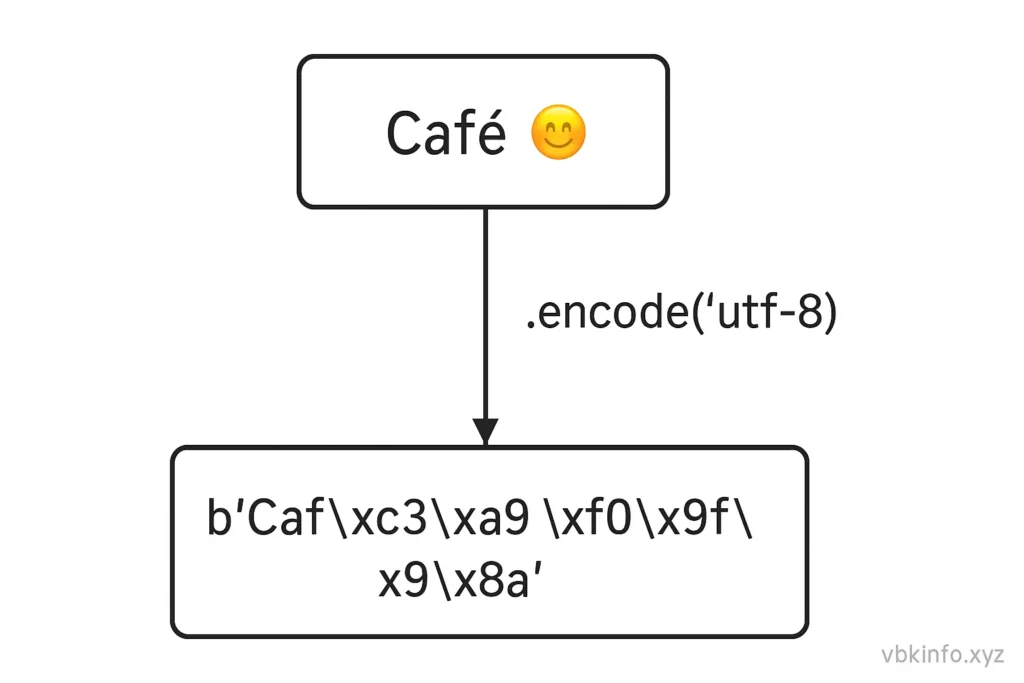
b'H\xc3\xa9llo! \xf0\x9f\x98\x8a'Notice how each special character becomes a sequence of bytes.
How to Encode a String in Python
Python provides a built-in method called .encode() for converting a string into bytes.
Syntax
string.encode(encoding='utf-8', errors='strict')Parameters
- encoding: The target encoding format (default:
'utf-8'). - errors: What to do if a character cannot be encoded.
'strict'(default): raise an error'ignore': skip invalid characters'replace': replace with a placeholder?
Example
message = "Café"
encoded_msg = message.encode('utf-8')
print(encoded_msg)
Example
message = "Café"
encoded_msg = message.encode('utf-8')
print(encoded_msg)
Output: b'Caf\xc3\xa9'
Common Encodings: UTF-8, ASCII, and Beyond
| Encoding | Description | Supports | Example |
|---|---|---|---|
| UTF-8 | Default Python encoding (universal, most flexible) | All languages | b’Caf\xc3\xa9′ |
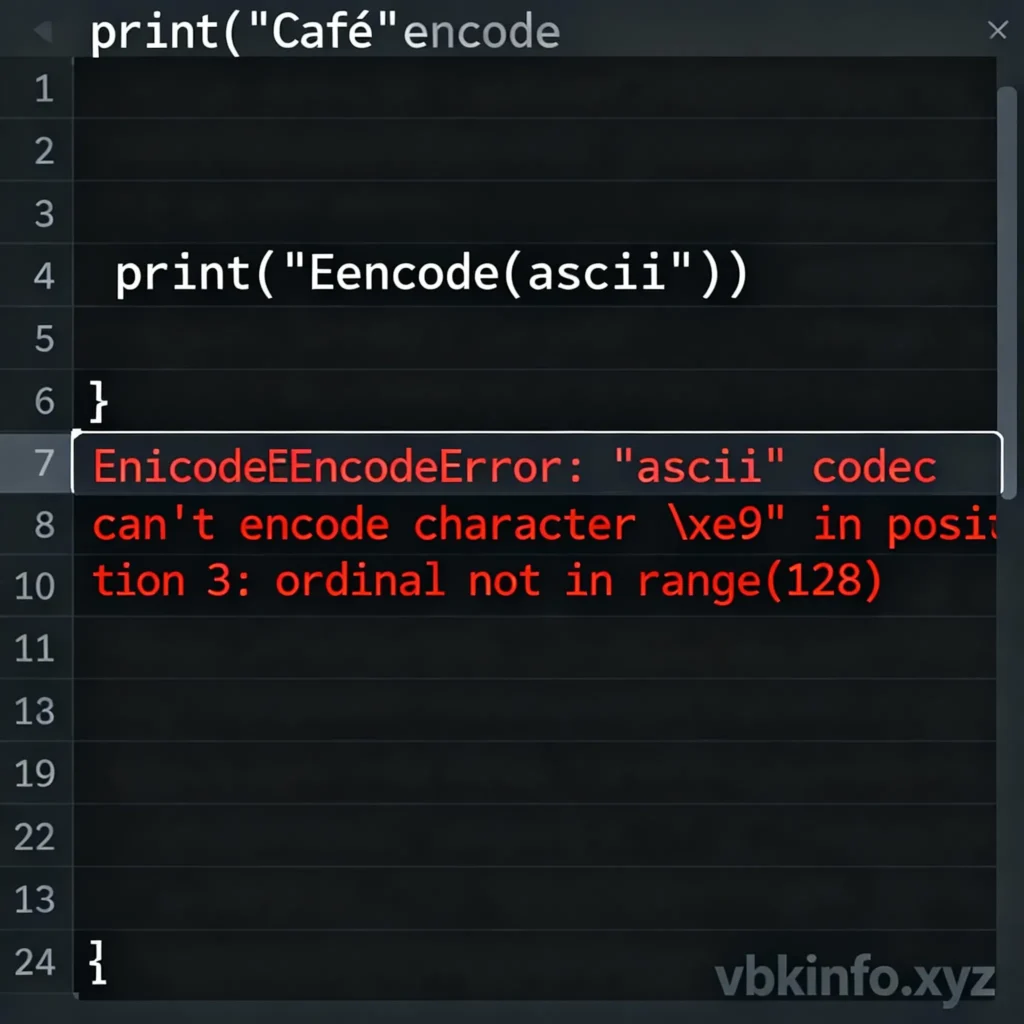
| ASCII | Oldest, simplest form | English letters only | b’Cafe’ |
| ISO-8859-1 | Latin-1, used in Western Europe | Western European chars | b’Caf\xe9′ |
| UTF-16 | Uses 2 bytes per character | All languages | b’\xff\xfeC\x00a\x00f\x00\xe9\x00′ |
this is an Python Encode String Tutorial image
Which Encoding Should You Use?
- Use UTF-8 for all modern applications.
- Avoid ASCII unless you know data is strictly English-only.
- Use UTF-16 or others only if a specific system or API requires it.
Examples and Code Snippets
Example 1: Basic UTF-8 Encoding
text = "Python ❤ Encoding"
print(text.encode('utf-8'))
Example 2: Handling Errors Gracefully
text = "Здравствуйте"
# Trying to encode with ASCII — will cause error if not handled
safe_bytes = text.encode('ascii', errors='replace')
print(safe_bytes)
Output: b'???????????'
Example 3: Encoding Then Decoding
encoded = text.encode('utf-8')
print(encoded)
print(encoded.decode('utf-8'))
This round-trip ensures your encoding/decoding settings are consistent.
Real-World Analogy: Languages and Translators
Think of encoding as translating between languages:
- The string is your original thought in English.
- The encoder is a translator that converts it into Morse code (bytes).
- The decoder converts it back so someone else understands.
If two translators use different rules (different encodings), messages become gibberish. That’s why both encoding and decoding must match.
Tips, Tricks & Common Mistakes
Tips
- Always explicitly state encoding when opening files:
open('demo.txt', 'w', encoding='utf-8')
- Use
.encode('utf-8')before sending text over APIs or networks. - Use
.decode('utf-8')when receiving byte data (like HTTP responses). - Use
bytes.decode()to get strings back.
Common Mistakes
- Mismatched encodings: Encoding in UTF-8 but decoding as ASCII.
- Forgetting to encode before file/network operations.
- Assuming all text is ASCII: leads to errors with emojis or foreign characters.
- Using implicit conversions: Always be explicit to avoid bugs.
FAQs / Interview Questions
Q1: What is the difference between encode() and decode()?
Encode: Converts string → bytes.
Decode: Converts bytes → string.
Q2: Why should I use UTF-8?
UTF-8 is the most standardized and compatible encoding. It supports all Unicode characters and works with nearly every system.
Q3: What error occurs when encoding fails?
Mostly UnicodeEncodeError or UnicodeDecodeError. Use the errors parameter to handle them gracefully.
Q4: How do you check a string’s encoding in Python?
Python’s str doesn’t store encoding info directly, but you can detect encodings using modules like chardet:
import chardet
print(chardet.detect(b'Caf\xc3\xa9'))
Comparison Table of Encoding Methods
| Method | Converts From | Converts To | Usage Example |
|---|---|---|---|
| str.encode() | String | Bytes | ‘example’.encode(‘utf-8’) |
| bytes.decode() | Bytes | String | b’example’.decode(‘utf-8’) |
| open(file, encoding=’utf-8′) | File | Text | open(‘file.txt’, ‘r’, encoding=’utf-8′) |
Conclusion & Next Steps
Understanding Python string encoding is critical for working safely with multilingual text, files, APIs, and databases.
Key Takeaways:
- Always specify your encoding—UTF-8 is safest.
- Pair your encode/decode operations correctly.
- Be explicit in file and network operations.
Next steps:
- Explore our related tutorials:
- Python f-String Formatting
- Python String Methods with Examples
- Python Regex Tutorial
More resources:
python Encoding tutorial